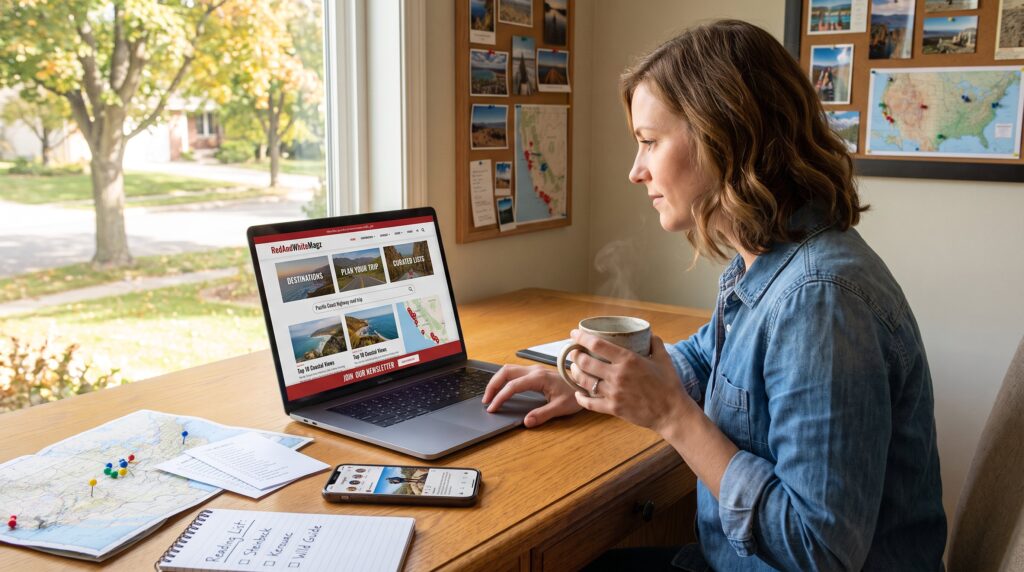
Where to Find Travel Inspiration on the Site is often the first question a curious reader asks when planning a trip. This guide points to exact places on RedAndWhiteMagz where ideas spark quickly, category pages, tag hubs, curated lists, multimedia, and community channels. It helps readers move from vague wanderlust to a short list of concrete trips, with clear steps for saving articles, using maps, and tapping newsletters for fresh ideas.
Key Takeaways
- Travel inspiration on the site starts with exploring category pages that group destination guides and thematic clusters for efficient discovery.
- Using search and curated lists with keywords like destination and activity helps find precise and scannable trip ideas faster.
- Multimedia features such as interactive maps and photo essays provide visual cues that make planning routes and understanding a destination’s feel easier.
- Joining community channels, newsletters, and social feeds offers timely, reader-tested travel tips and real condition updates to enhance planning.
- Building a personalized reading list from search and curated results preserves valuable inspiration for future trip planning.
- Combining destination categories with practical planning articles guides readers smoothly from inspiration to booking.
Navigate The Site’s Travel, Lifestyle, And Related Categories
Fact first: category pages reveal grouped articles that make discovery fast. On RedAndWhiteMagz, broad pillars such as Destinations and Plan Your Trip surface destination guides, experience roundups, and seasonal lists that readers can scan in minutes. This lowers the friction of finding realistic trip ideas versus scrolling a single long feed.
Categories are best for a top-down search: they show curated clusters like “Outdoor activities” or “Cultural attractions,” each containing related guides, packing lists, and logistics notes. For example, a single category page may list eight articles about a national park, two gear reviews, and a weekend itinerary, a quick bundle for decision-making.
Practical tip: start on a category page when the goal is to choose a theme (road trip, family weekend, or food tour). Readers who prefer a thematic path then pivot to tags or series for finer granularity. Use the site’s visible navigation to jump between lifestyle, family, and tech-adjacent travel stories so planning reflects real constraints like budget or accessibility.
Related readings and tools on the site strengthen planning. For instance, pairing a destination category with a practical planning article helps: combine a destination shortlist with an article on Effortless trip planning to move from idea to booked ride and stay.
Use Search, Curated Lists, And Topic Collections
Fact first: search plus curated lists find precise, scannable ideas faster than browsing alone. The site search accepts keywords and attributes (destination, activity, budget), returning articles, lists, and collections with strong relevance.
Curated lists are the high-value shortcut. Editors assemble best-of lists and map-based collections that present recommended places, top attractions, and sample itineraries in a compact, scannable format. These lists save time: instead of reading ten separate posts, a single curated list gives a tested shortlist and ranked choices.
How to set search queries: combine a destination name with an attribute, like “Lisbon family food” or “Alps winter road trip.” Then use the curated lists to compare options. Readers often find that one map collection produces a plausible 5-day route while another offers off-beat detours.
Important step: build a personalized reading list (next section) from results you like. That preserves evergreen and timely ideas for later planning without losing inspiration in the feed.
Multimedia, Maps, And Interactive Tools For Visual Inspiration
Fact first: visuals trigger concrete travel ideas faster than text alone. Interactive maps, photo essays, and short videos help readers imagine routes, distances, and the feel of a place.
Interactive maps embed location markers that link directly to articles and itineraries. That spatial link makes it easy to measure daily travel time and cluster attractions logically. Photo essays show weather, color palettes, and street textures, sensory cues that decide whether a place feels like “the one.”
Practical use: start with a route map to sketch a logical loop, then open a photo essay to confirm mood and pace. If a map shows three stops within 30 minutes of each other, that suggests a relaxed day. If a photo essay emphasizes steep cobbled streets, expect heavier walking.
Tip for planners: use multimedia to rule out poor fits quickly. If the video guides show crowded festivals during your dates and you dislike crowds, pivot to quieter months or alternate destinations.
Join Community Channels, Newsletters, And Social Feeds
Fact first: community channels and newsletters surface timely ideas and reader-tested tips that editors might not catch. Newsletters deliver curated inspiration, a monthly list of trending spots, seasonal deals, and new guides, directly to an inbox.
Social feeds and community comment threads reveal what readers actually liked. A reader comment that says “we followed this food crawl and saved two hours” is practical evidence. Joining channels also gives access to quick Q&A, recent updates, and reader photos that show real conditions.
Practical route: subscribe to the site newsletter for curated ideas, follow the travel feed for quick visual inspiration, and join comment conversations on articles to ask about timing or child-friendly options. Combine those community signals with official guides for the most reliable picture.
For more context about how the magazine organizes content and channels, consult a concise overview of the site’s structure in the magazine’s core guide. The guide explains editorial pillars and content types and helps readers choose the right channel for inspiration: site overview.