Tutorials and learning resources are essential for helping players understand game systems, improve their skills, and stay engaged with new content. Modern games often include complex mechanics, progression systems, seasonal events, character builds, crafting paths, competitive modes, platform settings, account features, and live updates. Without clear guidance, players may become confused, miss important features, or leave the game before fully understanding what it offers.
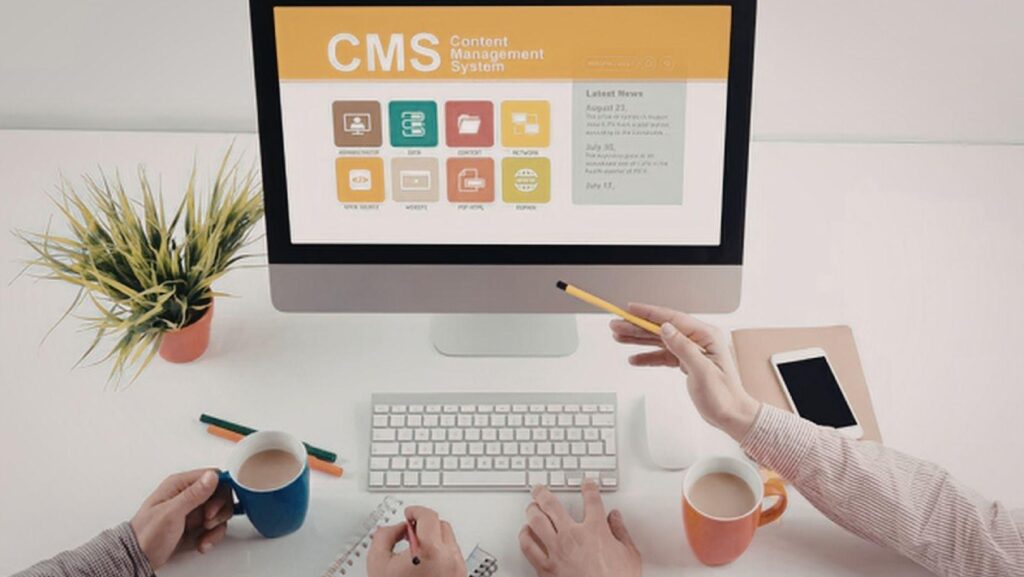
A headless CMS gives game studios and publishers a more flexible way to manage tutorials and learning resources across digital channels. Instead of creating separate guides for websites, in-game help menus, launchers, mobile apps, support portals, and community hubs, teams can organize tutorial content in one structured system and deliver it through APIs wherever players need it. This makes learning resources easier to update, reuse, localize, personalize, and connect with live game content. For players, the result is clearer guidance. For teams, it creates a more efficient content workflow.
Creating a Central Hub for Tutorial Content
Tutorials often exist in many places across a game ecosystem. A beginner guide may live on the website, a short explanation may appear inside the game, a deeper walkthrough may be added to a support portal, and community teams may publish related articles elsewhere. Check it out to see how a more connected content approach can keep these resources aligned. When these resources are disconnected, teams may accidentally create different versions of the same explanation. This can confuse players and make content harder to maintain.
A headless CMS creates a central hub for tutorial content. Teams can manage onboarding guides, gameplay explanations, feature tutorials, event instructions, and learning resources from one structured source. Each tutorial can include a title, summary, steps, visuals, platform notes, difficulty level, related features, and localization status. Once approved, the content can be delivered to multiple channels through APIs. This helps players receive consistent guidance whether they are reading a full article, opening an in-game help card, or browsing a mobile companion app.
Structuring Tutorials for Easier Learning
Tutorials are most useful when they follow a clear structure. Players need to know what the tutorial is about, who it is for, what they need before starting, and what outcome they should expect. If learning content is written as one long block of text, players may miss important steps or lose interest before reaching the answer. Structure makes information easier to understand and easier to act on.
A headless CMS allows teams to create tutorial content models with dedicated fields for each part of the learning journey. A tutorial can include an introduction, requirements, step-by-step instructions, tips, warnings, images, and related resources. This makes content more consistent and easier to display across different interfaces. A website can show the full tutorial, while an in-game panel can show the key steps. Structured tutorials help players learn faster because the information is organized around their needs instead of being presented as a static article.
Supporting Step-by-Step Player Guidance
Many gaming tutorials need to explain actions in a specific order. Players may need to learn how to unlock a feature, complete a quest, join a live event, adjust settings, use a new ability, upgrade equipment, or understand a progression system. If the steps are not clearly separated, players may follow the wrong order or miss a requirement. This can create frustration, especially for newer players.
A headless CMS can manage each tutorial step as a structured content element. Every step can include a short title, detailed explanation, image, related tip, platform note, or completion outcome. This makes step-by-step guidance easier to update and reuse. If one step changes after a patch, the team can update that specific part instead of rewriting the full tutorial. Step-based content also works well across channels because it can be displayed as a full guide, a quick checklist, or an in-game learning flow.
Making Learning Resources Easier to Find
A tutorial is only valuable if players can find it at the right moment. Players may search for help by feature name, game mode, character, mission, platform, event, reward, or difficulty level. If learning resources are not organized with strong metadata, the right tutorial may be hidden inside a large content library. This can make the support experience feel frustrating even when good content already exists.
A headless CMS improves discoverability by allowing teams to tag learning resources with useful metadata. Tutorials can be categorized by topic, platform, player level, game mode, event, content type, and related feature. These tags can power search filters, recommended articles, and contextual help suggestions. A beginner player can find onboarding content, while an advanced player can discover deeper strategy resources. Better organization helps players move directly to the guidance they need, reducing confusion and improving the overall learning experience.
Delivering Tutorials Inside the Game Experience
Players often need guidance while they are actively playing. Leaving the game to search a website can interrupt the experience, especially when the question is about a live event, menu setting, mission objective, or gameplay mechanic. In-game tutorials and help panels can solve this problem by providing relevant information at the exact moment the player needs it.
Headless CMS architecture makes it easier to deliver tutorial content inside the game without creating a separate content system. The same structured tutorial used on a website can also provide shorter in-game guidance. A full guide may explain a feature in detail, while the game client shows only the key steps or quick tips. This keeps content consistent while adapting it to the player’s current context. In-game tutorial delivery helps players continue learning without breaking immersion or leaving the game environment.
Reusing Tutorial Content Across Channels
Game studios often need to explain the same concept in several places. A tutorial about account linking, event participation, combat basics, crafting, rewards, or progression may appear on a website, in a launcher, inside the game, and in a support article. If teams rewrite the same guidance for every channel, content can become inconsistent and time-consuming to maintain.
A headless CMS allows teams to reuse tutorial content across channels. Common explanations, steps, tips, visuals, and related links can be stored as structured modules. These modules can then be reused in different formats without copying and pasting the same text manually. If the tutorial changes, the central content can be updated and delivered to connected experiences. This reduces repeated work and helps players receive the same clear message wherever they look for help. Reuse is especially valuable for games that frequently add new features or seasonal content.
Managing Tutorial Visuals and Media Assets
Tutorials often depend on visuals. Screenshots, icons, interface examples, diagrams, gameplay clips, and short videos can make instructions much easier to follow. A player may understand a menu setting faster if they can see the exact screen, or learn a mechanic more clearly through a visual example. However, visuals can become difficult to manage when they are stored separately from tutorial text.
A headless CMS can connect media assets directly to tutorial entries. Each step can include the correct screenshot, icon, video, caption, platform version, and accessibility text. If the user interface changes after an update, teams can identify which tutorials use affected images and replace them. This helps keep visual guidance accurate and current. Good media management makes learning resources more useful because players can compare the tutorial with what they see in the game, reducing uncertainty and improving confidence.
Supporting Different Player Skill Levels
Players do not all need the same kind of learning content. A new player may need simple explanations, basic controls, and beginner-friendly guidance. A returning player may need a summary of what changed since their last session. An experienced player may want advanced strategies, optimization tips, or deeper explanations of complex systems. If one tutorial tries to serve everyone at once, it may become too basic for some players and too complicated for others.
A headless CMS can organize tutorials by player skill level and learning intent. Content can be tagged as beginner, intermediate, advanced, returning-player guidance, or event-specific help. Teams can create different versions or sections for different audiences while still managing them from one structured system. This allows the learning experience to feel more relevant. Players can choose the level of detail that matches their needs, making tutorials more helpful and less overwhelming.
Improving Localization for Global Learning Resources
Gaming audiences are global, so tutorials and learning resources often need to be available in multiple languages. Good localization is especially important for tutorials because players must clearly understand instructions, menu labels, item names, and gameplay terms. If translated tutorials are outdated or inconsistent, players in some regions may receive weaker support than others.
A headless CMS supports localization by connecting translated tutorials to the original source content. Each field, such as title, summary, step, tip, button label, caption, and related link, can be translated and reviewed in a structured workflow. If the source tutorial changes, teams can identify which language versions need updates. This helps global players receive accurate guidance in their own language. Strong localization improves the learning experience because players can follow official tutorials without struggling through unclear or mismatched instructions.
Connecting Tutorials With Live Events and Updates
Live events and updates often introduce new systems that players need to understand quickly. A seasonal event may include special objectives, reward rules, limited-time modes, or temporary mechanics. A patch may change how a feature works or add new progression options. If tutorials are not connected to these updates, players may miss important information or rely on outdated guidance.
A headless CMS makes it easier to connect tutorials with live content. Event entries, patch notes, reward pages, and update announcements can link directly to related tutorials. A player reading about a new event can immediately open a guide explaining how to participate. A patch note can connect to a tutorial that explains a changed system in more detail. This creates a smoother learning journey and reduces repeated support questions. Tutorials become part of live operations rather than separate static resources.
Keeping Tutorials Accurate After Patches
Tutorials can become outdated quickly when games change. A patch may adjust a menu layout, rename an item, change a reward requirement, modify a skill, or update a progression path. If learning resources are not reviewed after changes, players may follow instructions that no longer work. This can damage trust in official content and increase frustration.
A headless CMS helps teams maintain accuracy by connecting tutorials to related features, versions, and update history. If a feature changes, teams can identify which tutorials need review. Content owners can update affected steps, replace visuals, and revise related links. Some tutorials can also include version information so players know the guide applies to the current game experience. Keeping tutorials accurate is essential for long-term player support, especially in online games that change frequently through updates and live operations.
Personalizing Learning Resources by Player Context
Players learn best when guidance matches their current situation. A new player may need onboarding help, while a player who has unlocked a specific feature may need more advanced guidance. A player using a console may need different instructions from a player on PC. Someone participating in a live event may need event-specific tutorials rather than general help content.
A headless CMS can support personalized learning by using metadata and player context. Tutorials can be tagged by platform, progression stage, game mode, event participation, and player intent. When connected to player systems, the game or portal can recommend relevant tutorials based on where the player is in their journey. This makes learning resources feel more helpful and less generic. Personalized tutorial delivery can improve engagement because players are more likely to read guidance that clearly applies to them.
Conclusion
Using headless CMS to manage tutorials and learning resources gives game studios a scalable and flexible way to support player education. Modern games often include complex systems, frequent updates, live events, platform differences, and global audiences. Without a structured content approach, tutorials can become outdated, duplicated, difficult to find, and inconsistent across channels.
A headless CMS helps teams centralize tutorial content, organize it into reusable models, deliver it across websites and in-game experiences, manage visuals, support localization, personalize recommendations, and update resources after patches. Players benefit from clearer instructions, better discovery, and guidance that matches their needs. Internal teams benefit from faster workflows, stronger collaboration, and easier maintenance. As games continue to evolve, well-managed tutorials and learning resources become an essential part of helping players learn, engage, and stay connected.